An AI staff member dedicated to your shop.

Greetings, step-by-step guidance, answers to common questions. An AI avatar designed around your operations works on the signage or PC you already have.

Unstaffed and late-night hoursMultilingual¥0 monthly
Book a video callMessage usBoth are free (video calls are 30 minutes). A quote alone is fine too.
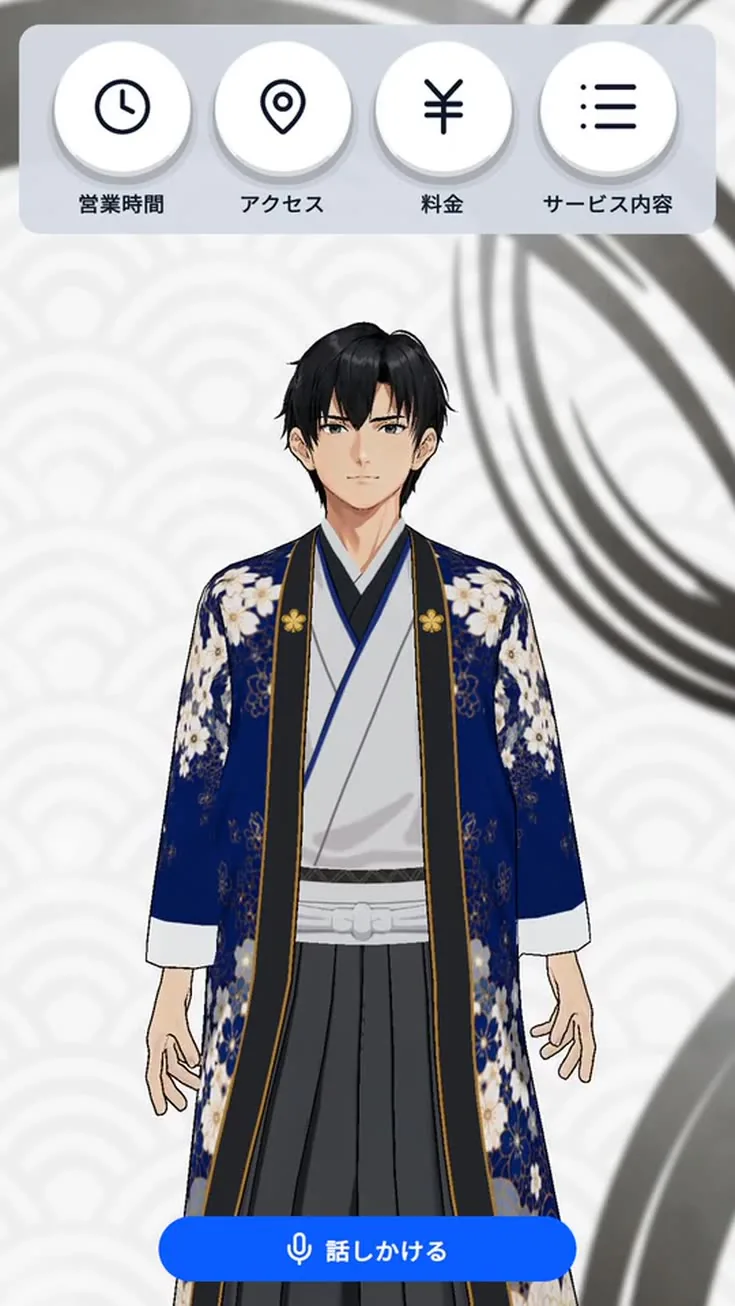
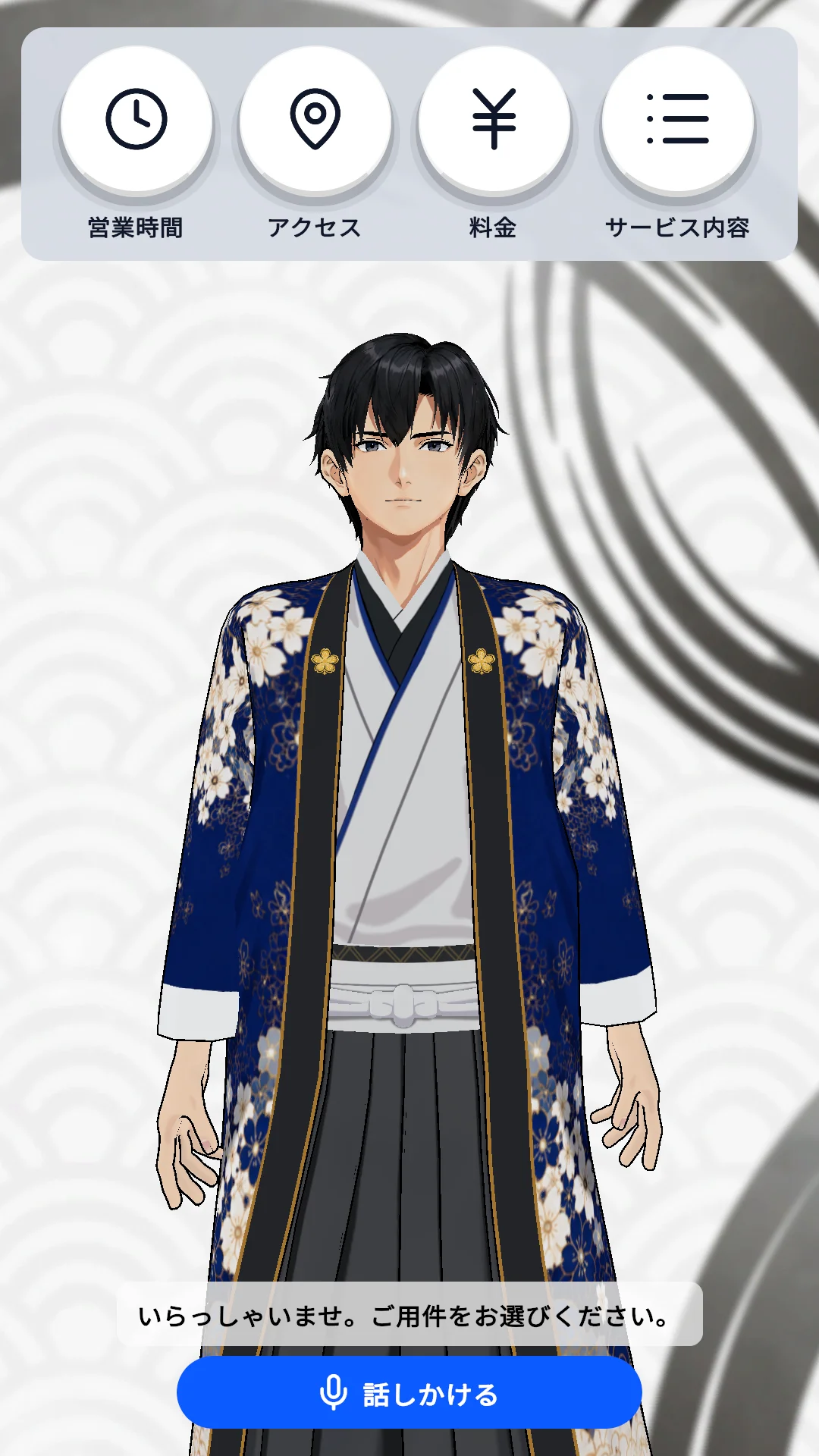
Avignage reception screen with an AI avatar and four quick-action buttons
Actual app screen (reception mode)
One Visit

Here is how one customer visit gets handled.

Hours with no one on site, hands tied up repeating the same explanation, guiding visitors from abroad. Put one AI staff member in that gap. We design the flow from arrival to send-off for each shop, and connect notifications (SMS/LINE) and your existing systems.

A locker-based, unstaffed drop-off shop. From arrival to sending the ticket, the whole sequence runs with no staff present.

ArrivalGreet and confirm the purpose

Speaks up on motion detection; explains the flow to first-time visitors

StepsGuide the locker drop-off

Shows free lockers, how to use bags, and cautions on screen and by voice

QuestionsAnswer pricing and pickup dates

Common questions answered instantly from your shop information

ConfirmRegister the drop-off

Links to a done button or the locker opening and closing

NotifySend the ticket by SMS/LINE

Phone number entered, then the ticket and estimated pickup are sent

Send-offThanks and next steps

Explains how to pick up and closes

The same app also handles work beyond receptionAnnouncements and exhibit narration (repeats a script; zero AI cost configuration)Streaming and live guidance (reacts to YouTube comments, OBS capture)
Want to talk about which tasks in your shop could be handed over?

Tell us your device and the work you want covered, and we will say on the spot whether the standard app is enough or notification and integration work is needed.

Book a video call
Product

Take a look at the actual screens, in order.

The reception screen your customers see, and the settings screens you use. Unedited, exactly as they are.

Reception screen with an AI avatar, four quick-action buttons, and a microphone button
01 / 04 — What customers see

Reception screen: four buttons and a mic to talk to

Put common questions such as hours, directions, pricing, and services on buttons. Press one or just speak, and the avatar answers with voice and captions. Button items can be changed per shop.

Demo Movie

See it in motion, in 30 seconds.

The pause between speaking and the answer, the voice and captions, what happens when a button is pressed. The parts a still image cannot show.

Features

What the base app already does. From here, we tailor it to your shop.

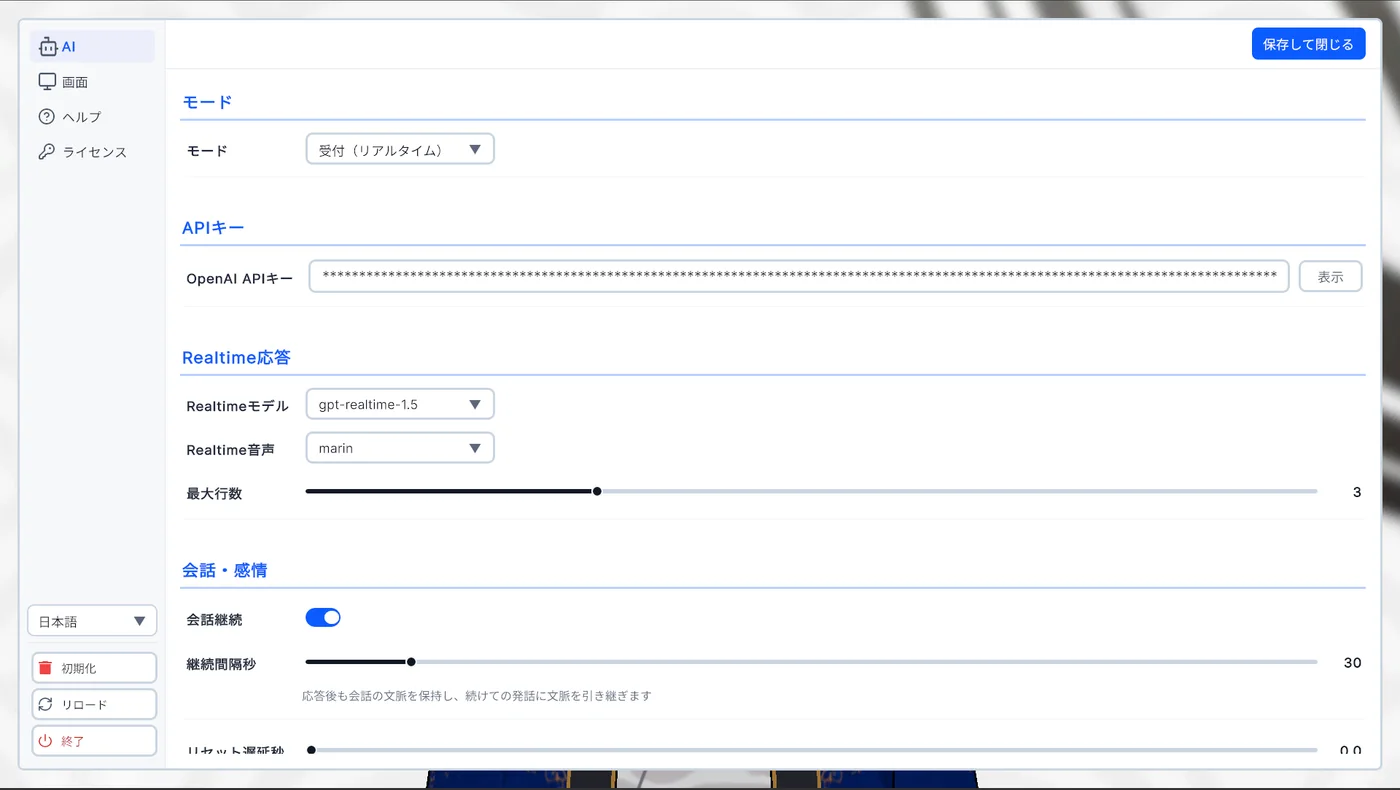
01 — API KEY

AI connects through each provider's API. The key is in your name

Conversations run on an API key from OpenAI, Claude, or Gemini. You pay only for what you use (from a few hundred yen per month), directly to the provider. We neither route nor hold it, and we set the key up with you at onboarding.

  • Works with any one of OpenAI / Claude / Gemini
  • OpenAI is the easiest if you also want speech recognition and synthesis
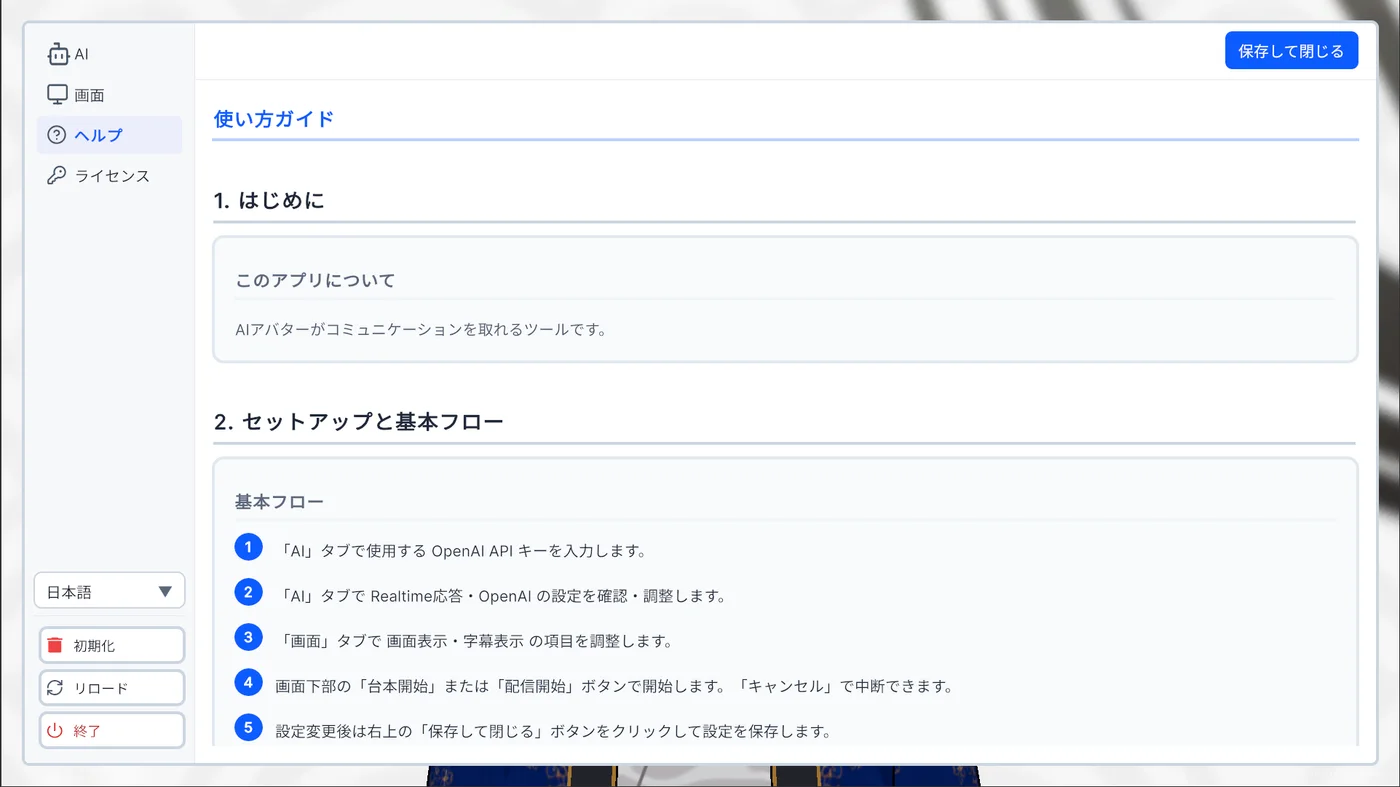
AI settings (illustration of the settings screen)
Reception (realtime)
sk-••••••••••••••••••••••••••
Save
gpt-realtime
alloy
02 — YOUR INFO

Register your own information yourself

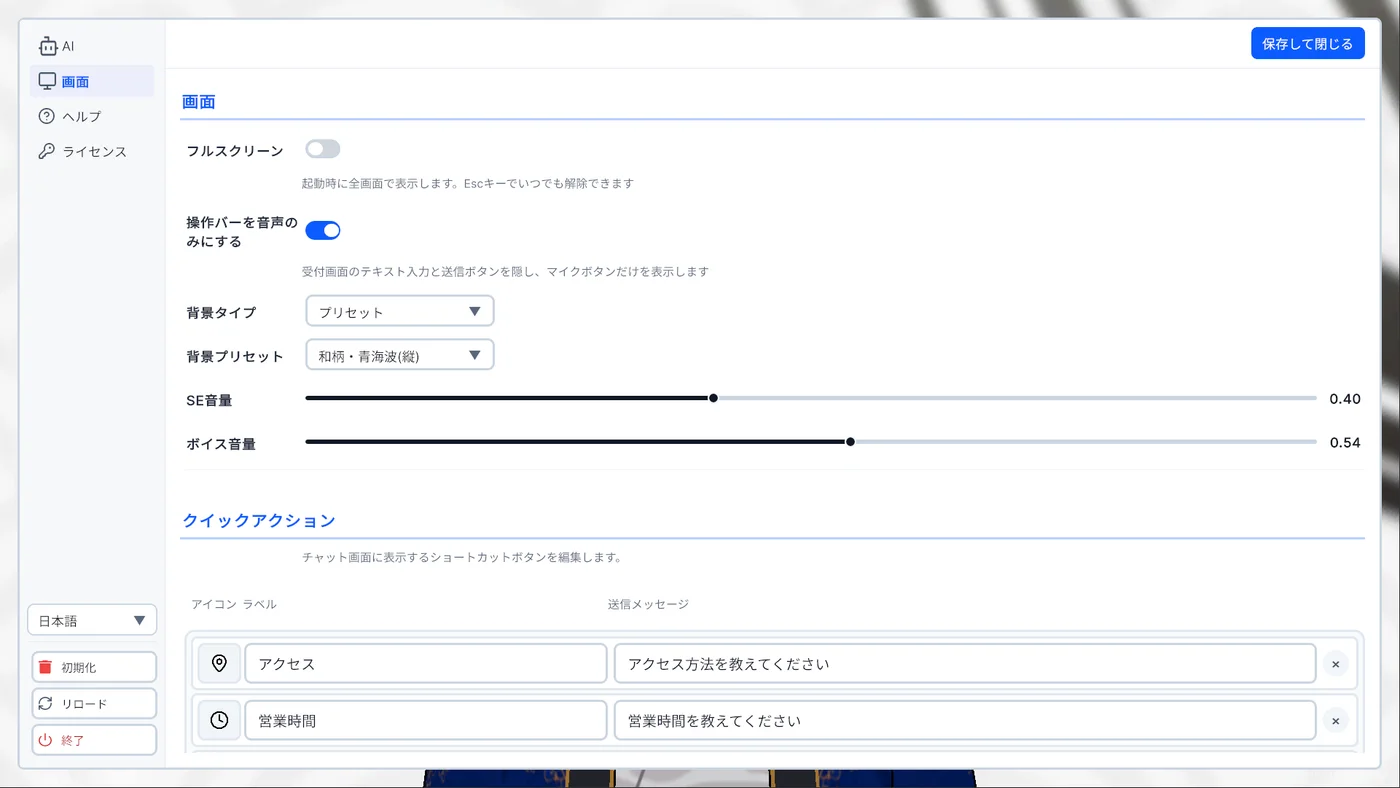
Register common questions such as hours, directions, and pricing as quick-action buttons. The avatar answers the question that was pressed. A knowledge base (RAG) that reads whole brochures or FAQs is also available.

  • Button labels and questions can be changed freely
  • Caption font and size are adjustable
Quick actions (illustration of the settings screen)
Hours
What are your opening hours?
Directions
How do I get there?
Pricing
What are your prices?
Services
What services do you offer?

Button labels and questions can be changed freely to suit your shop

03 — SIGNAGE

Portrait signage supported out of the box

Whether on portrait signage or a landscape monitor, the AI avatar screen switches layout automatically. It starts on power-up, stays full screen, and recovers automatically if it stops. It can be left in place at the storefront.

  • Automatic portrait and landscape layouts
  • Auto start, always full screen, auto recovery
  • Blocked-word filter, conversation history export to CSV
Avignage displayed on portrait signage

Actual app screen (portrait layout)

Custom Development

We design an AI staff member around your shop's workflow.

Rather than dropping in a standard receptionist, we shape it into something you can hand actual work to. Your contact is not a salesperson but the developer who builds the app — from design through integration to live operation.

Start with a consultation (free)

Scene sheete.g. inn reception
SceneLine · Screen · Next
Arrival“Welcome.”Pick a request (3 buttons)Branch
Check-in“Your name, please.”Match reservationNotify
Question“Here is the answer.”Show FAQSolved?
Fallback“Calling staff now.”Extension guideCall

We turn the interview into this sheet and hand it over.

Workflow design and integration

Arrival → greeting → guidance → answers → confirmation → notification → send-off. We translate your shop's flow directly into conversation and screen flow.

  • Lines and screens for each scene
  • Step-by-step guidance and completion checks
  • Escape routes for exceptions (contacts, staff call)

Notifications and system integration

Sending tickets and room numbers by SMS/LINE, matching against booking and reception systems, linking to done buttons and sensors.

Answers from your own materials (RAG)

Register FAQs, brochures, and website content so it answers with your shop's information. We can do the registration for you.

Original avatar

From character design to VRM model production and integration. Local mascots and company characters welcome.

Purpose-built screens and features

Screens your work needs: maps, QR codes, queue displays. Fully offline configurations and dedicated builds without the Unity logo are also available.

Multiple units and corporate contracts

Rollout to multiple locations and devices, invoice payment, a one-month trial run after delivery, and maintenance contracts.

STEP 1 ・ FreeWorkflow interviewOnline review of the flow from arrival to send-off, your devices, and pain points (30 minutes)
STEP 2 ・ FreeQuoteWe scope only what is needed and present the price and timeline
STEP 3 ・ Approx. 2–8 weeksProduction and integrationAvatar, screens, and features are produced, built into the app, and tested
STEP 4 ・ 1 month after deliveryTrial run and maintenanceBug fixes are free for one month after delivery. After that, choose spot support or a maintenance contract
Pricing

Pricing — individual quote. No monthly service fee.

The only costs are custom development (one-time) and AI usage (pay as you go). We scope and quote only what is needed.

RecommendedCustom developmentMake it an AI staff member built for your operations
Individual quoteConsultation and quotes are free

Quoted for only what you need. Start small and add later.

  • Original avatar, purpose-built screens, custom features
  • Loading your own materials (RAG) and registration on your behalf
  • Kiosk operation, blocked words, use of conversation logs
  • Multi-unit rollout, corporate contracts, invoice payment
  • Fully offline configuration, Unity logo removed
  • Notifications (SMS/LINE) and integration with existing systems
  • One-month trial run after delivery (bug fixes free)
Book a video call

A quote alone is fine. We will get back to you within 3 business days.

Breakdown of running costs

ItemPaid byEstimate
Avignage service fee¥0 per month
AI provider API usageYou (directly to the provider)Pay as you go, a few hundred to a few thousand yen per month
PC or signage device, mic and speakerYouUse equipment you already have
Electricity and internetYouNormal operating costs
Notification service (SMS etc.) and server, if integratedYou (directly to the provider)Pay as you go, presented with the quote
MaintenanceOptional (spot / contract)Free for one month after delivery. Server-based configurations assume a maintenance contract

We do not sell or rent hardware. The AI account stays in your name and usage is paid directly to the provider, with spending limits set in their console.

Why Avignage

Compared with the alternatives

ItemStaffed receptionConventional signageWeb chatbotAvignage
Initial costHiring and trainingDevice + productionThousands to tens of thousands of yen per monthIndividual quote (existing device)
MonthlyWagesDistribution feesSubscription¥0 + API usage (from a few hundred yen)
Speaks to visitors× (one-way)× (on screen only)○ (voice and touch)
MultilingualDepends on staffSwitchable display○ (by voice)
Night and unstaffed hoursHigher wagesDisplay only○ (kiosk operation)
Try before buyingDemo screenDemo version on your own device
Reviews

Ratings from clients we have worked with

All are ratings for AI-related development services (AI avatars, AI reception, AITuber, and more). Repeat orders are additional custom development or improvements requested after delivery.

30Total rated transactions
100%Satisfied (4 stars or higher)
17xLongest repeat engagement (additional custom development)
4.9Coconala overall rating (10 reviews)

The speed of response and the commitment to solving problems have been a huge help!

Even on difficult challenges, they worked patiently through the problems, and we were able to move the project forward significantly again.

I.T
AITuber and AI character development17 repeat orders

High quality, and revisions were handled quickly. Very grateful.

K
Quote consultation

Handled thoroughly. Thanks to this, the project moved forward. Thank you!

R
Quote consultation

Thank you for the careful and attentive support!

Thank you as always!

H.K
Quote consultation5 repeat orders

Grateful that the deadline was met.

S
Metaverse development with AI characters

Everything was explained clearly. Glad I asked.

U
AI and conversational UI consultation

From ratings on past transactions on Coconala and Lancers, including AI development projects other than Avignage such as AITuber, AI reception, and metaverse development. Repeat orders count additional work requested after delivery. Names are shown as initials, boilerplate-only comments are excluded, and each client appears on one card.

FAQ

Frequently asked questions

The points people most often check before getting started.

What is an API key, and why is it needed?

It is a key (a string of characters) issued by each AI provider to use its conversational AI. OpenAI, Claude (Anthropic), and Gemini (Google) are supported; enter the API key from any one of them in the settings screen and conversations can begin. If unsure, OpenAI is recommended since it covers speech recognition and speech output too. AI usage is billed directly by the provider, not through us, so it stays transparent. With custom development, we go through account creation and key setup with you online.

What do custom development cost and timelines look like?

They vary by requirements, so we quote individually. The range runs from small jobs such as adjusting button labels and guidance text up to an original avatar plus purpose-built screens plus multi-unit rollout. In the interview (30 minutes, free) we scope what is needed and present the price and timeline (roughly 2–8 weeks). A quote alone is fine.

What can the demo version do?

It is a distributable build with the bundled character (RYUXiA) and standard screens, letting you try the 3 modes, voice conversation, 4 buttons, and multilingual support on your own device (a "Powered by Avignage" mark appears in the corner). It is for those who want to see it in motion before a consultation: choose "Request the demo version" on the contact form and we will email you the download location. A character and screens for your shop, loading your own materials, and multi-unit rollout are built through custom development.

See demo and brochure

Can I use my own character (VRM)?

Yes. Swapping in a VRM 1.0 model made with VRoid Studio or similar is supported (VRM 0.x is in beta). Original avatar production from scratch, or models with custom expressions and staging, are handled through custom development.

Supported VRM guide

What happens when the AI gets a question it cannot answer?

Rather than forcing an answer, it is designed to naturally direct the visitor to a URL such as your contact form, official LINE, or booking page. Staff can follow up only on the inquiries that need it, so you can start without assuming someone is always on standby.

Still have questions? Feel free to get in touch.

Downloads

For those who want to check it themselves before a consultation.

Want to see it move? Request the demo version (free). Want to share it internally? Download the brochure PDF.

Demo

Demo version (Windows / macOS) — by request

Choose "Request the demo version" on the contact form and we will email you the download location. Windows / macOS, one AI API key required.

Brochure

Brochure for internal sharing (PDF)

A one-page summary of features, requirements, and the onboarding flow. Useful for approvals or explaining to your manager.

What the demo version (by request) lets you check, and what custom development lets you decide (comparison)
ItemDemo versionCustom development
3 modes, voice conversation, 4 buttons, multilingual
CharacterBundled (RYUXiA)Original production or replacement
ScreensStandard screens (text changes only)Purpose-built screens and features
Answers from your own materials (RAG)○ (registration on your behalf available)
Kiosk operation, blocked words, conversation logs
"Powered by Avignage" markShownRemoved
RequirementsmacOS 13+ / Windows 10 or 11Tuned to your device
AvailabilitySome features in betaBuilt to your requirements
Multiple units, corporate contract, invoice payment
Fully offline / Unity logo removed
SupportIn-app guide and emailSetup help plus maintenance
Cost¥0Individual quote (consultation free)
About

Provider information

Service name
Avignage
Provided by
RYUXiA
Technology
Unity desktop app (Windows / macOS). VRM avatars, realtime voice conversation.
Development experience
AI avatar conversation systems, browser-based AI reception, game, XR, and signage experience production.
Contact

Let's build an AI staff member dedicated to your shop, together.

Consultation and quotes are free. Talk over a 30-minute video call while looking at the screens, or ask casually by message, whichever you prefer. A quote alone is fine too.

  • For a video call, just send your preferred time. We confirm by email and send the URL
  • Messages are answered within 3 business days
  • A quote alone is fine

You can also reach us on our official LINE

Send a casual message on LINE. Replies within 3 business days.

Chat on LINE
SunMonTueWedThuFriSat

Pick a date on the calendar

After you submit, we confirm the date and time by email and send the video call URL. If the slot is unavailable, we will propose an alternative.